

Building My First Home Server
How I turned my old PC into a home server -- Ubuntu, SSH, and the start of a self-hosted NAS
Why a Home Server?
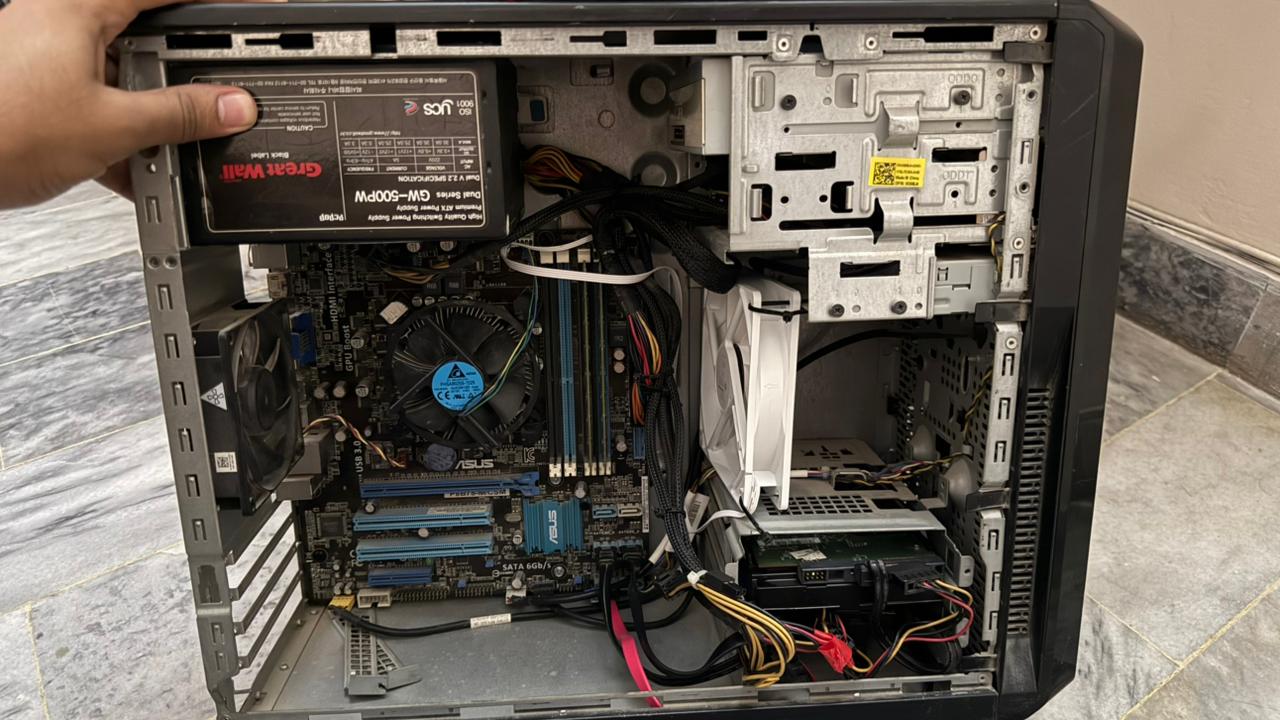
When I got my new PC, my old one just sat there collecting dust. Around the same time I started going down the homelab rabbit hole -- YouTube videos, a few mentors I follow online -- and something clicked. Why let this machine rot when it could be running 24/7 doing something useful?
So I fixed it up. Got it into a proper case, sorted the internals, grabbed some extra hard drives to turn it into a NAS, and got everything in order. What started as "I have a spare PC" turned into a full build plan pretty quickly.
The specs ended up being:
The SSD is for the OS. The two HDDs are where all the actual data lives -- file sync, backups, whatever else I throw at it.
What's Next
Before I can get Ubuntu on this thing I need to borrow a monitor and keyboard for the install -- it'll be headless after that but you need them just for the initial setup. Also need a USB drive to flash the ISO onto. Once those are sorted the actual install can happen.
More posts as each phase goes in.